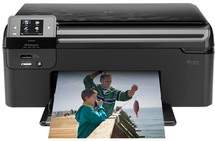
HP Photosmart B110d Driver Download
- 7 drivers
- Supports Windows 10
- Windows · macOS · Linux
- ✓ Safe & free
When it comes to all-in-one printers, the HP Photosmart B110d is the ultimate solution for all your printing needs. This versatile printer can perform a variety of functions, such as scanning, copying, and printing, making it a great addition to any home or office. One of the most impressive features of the HP Photosmart B110d is its ability to produce high-quality documents with ease. Thanks to its advanced printing technology, this printer is able to create sharp, vibrant images and crisp text that are sure to impress. Not only is the HP Photosmart B110d a top-performing printer, but it is also an environmentally friendly device. As an Energy Star certified product, it is designed to use less natural resources and power, making it a sustainable choice for eco-conscious consumers. Whether you need to print out important documents, make copies of paperwork, or scan photos and images, the HP Photosmart B110d is the all-in-one printer that can do it all. So why settle for anything less? Choose the HP Photosmart B110d for all your printing needs today.
HP Photosmart B110d Driver Downloads
| Driver | Operating System | Version | Size | Download |
|---|---|---|---|---|
| Full Feature Drivers Recommended | Windows 10Windows 8.1Windows 8 | — | 148 MB | Download |
| Full Feature Drivers | Windows 7Windows VistaWindows XP | — | 145.6 MB | Download |
| Basic Drivers | Windows 7Windows VistaWindows XP | — | 57.5 MB | Download |
| ePrint Software Network and Wireless Connected Printers | Windows 10Windows 8.1Windows 8Windows 7 | — | 26.2 MB | Download |
| ePrint Software Network and Wireless Connected Printers | Windows 10Windows 8.1Windows 8Windows 7 | — | 31.2 MB | Download |
| Full Feature Drivers | macOS | — | 117.5 MB | Download |
| ePrint Software Network and Wireless Connected Printers | macOS | — | 6.6 MB | Download |
How to Install the HP Photosmart B110d Driver
- Click the recommended driver package above and save the file to your PC.
- Open the downloaded file and follow the on-screen HP installer.
- Connect the Photosmart B110d by USB or network when prompted.
- Finish and print a test page to confirm the driver works.