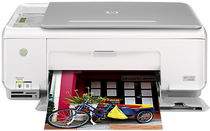
HP Photosmart C3150 Driver Download
- 10 drivers
- Supports Windows 10
- Windows · macOS · Linux
- ✓ Safe & free
The HP Photosmart C3150 is a versatile multifunctional printer that seamlessly integrates various functions without any interference. This all-in-one device allows for effortless printing, scanning, and copying from a single platform. Its compact design makes it ideal for small businesses and companies with limited space, as it can be easily installed in a smaller area. The HP Photosmart C3150 offers a multitude of benefits, especially for those with limited space. With its USB cable connectivity, printing documents has never been easier. This printer can efficiently handle a variety of tasks, allowing users to save time and increase productivity. Overall, the HP Photosmart C3150 is a reliable and efficient printer that can help businesses and individuals streamline their work processes. Its compact design and multifunctional capabilities make it a valuable asset for any workspace.
HP Photosmart C3150 Driver Downloads
| Driver | Operating System | Version | Size | Download |
|---|---|---|---|---|
| Full Feature Drivers Recommended | Windows 10Windows 8.1Windows 8 | — | 259.2 MB | Download |
| Full Feature Drivers | Windows 7 | — | 290.3 MB | Download |
| Full Feature Drivers | Windows Vista | — | 159.3 MB | Download |
| Basic Print and Scan | Windows Vista | — | 32.9 MB | Download |
| Full Feature Drivers | Windows XP | — | 298.4 MB | Download |
| Full Feature Drivers | Windows XP | — | 289.7 MB | Download |
| Basic Print and Scan | Windows XP | — | 67 MB | Download |
| Basic Print and Scan | Windows XP | — | 48.4 MB | Download |
| Full Feature Drivers | macOS | — | 156.2 MB | Download |
| Full Feature Drivers | macOS | — | 199.7 MB | Download |
How to Install the HP Photosmart C3150 Driver
- Click the recommended driver package above and save the file to your PC.
- Open the downloaded file and follow the on-screen HP installer.
- Connect the Photosmart C3150 by USB or network when prompted.
- Finish and print a test page to confirm the driver works.