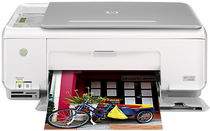
HP Photosmart C3180 Driver Download
- 10 drivers
- Supports Windows 10
- Windows · macOS · Linux
- ✓ Safe & free
In today's business world, it's essential for every company to have a versatile device that can handle multiple functions. The Photosmart C3180 is a true all-in-one multifunction printer that can print, copy, and scan documents with ease. Featuring an 800×600 video display with 16-bit color, this printer is perfect for any office setting. One of the standout features of the Photosmart C3180 is its impressive duty cycle of up to 3000 pages per month. This means you can rely on it to handle even the busiest workloads without skipping a beat. Additionally, this printer is compatible with a wide range of paper types, including Plain Paper, legal Paper, Cards, Envelopes, and Labels, etc. Whether you're printing out important documents, making copies of contracts, or scanning in new information, the Photosmart C3180 is the perfect all-in-one solution. So why wait? Invest in this versatile device today and take your business to the next level!.
HP Photosmart C3180 Driver Downloads
| Driver | Operating System | Version | Size | Download |
|---|---|---|---|---|
| Full Feature Drivers Recommended | Windows 10Windows 8.1Windows 8 | — | 259.2 MB | Download |
| Full Feature Drivers | Windows 7 | — | 290.3 MB | Download |
| Full Feature Drivers | Windows Vista | — | 159.3 MB | Download |
| Basic Print and Scan | Windows Vista | — | 32.9 MB | Download |
| Full Feature Drivers | Windows XP | — | 298.4 MB | Download |
| Full Feature Drivers | Windows XP | — | 289.7 MB | Download |
| Basic Print and Scan | Windows XP | — | 67 MB | Download |
| Basic Print and Scan | Windows XP | — | 48.4 MB | Download |
| Full Feature Drivers | macOS | — | 156.2 MB | Download |
| Full Feature Drivers | macOS | — | 199.7 MB | Download |
How to Install the HP Photosmart C3180 Driver
- Click the recommended driver package above and save the file to your PC.
- Open the downloaded file and follow the on-screen HP installer.
- Connect the Photosmart C3180 by USB or network when prompted.
- Finish and print a test page to confirm the driver works.