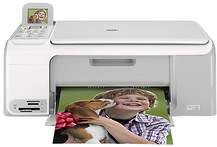
HP Photosmart C4183 Driver Download
- 9 drivers
- Supports Windows 10
- Windows · macOS · Linux
- ✓ Safe & free
The HP Photosmart C4183 is a versatile, all-in-one printer that offers a multitude of functions. It boasts the capability to copy, print, and scan high-quality documents at impressive speeds. Weighing in at a mere 11.9 lbs, this printer is a lightweight option that is ideal for both small office spaces and personal use. The HP Photosmart C4183 is the perfect solution for those seeking a reliable and efficient printer that is capable of performing multiple tasks with ease.The device boasts impressive copy speeds, with black/white copies reaching a maximum of 300 ppm and color copies reaching a maximum of 24 ppm. The copy resolution is equally remarkable, with a maximum of 1200X1200 dpi for black/white copies and 4800X1200 dpi for color copies. This printer is capable of producing up to 50 copies at a time, ensuring efficient and timely completion of large projects. Additionally, the device's maximum document enlargement capacity is an impressive 400%, while the maximum document reduction capacity is 50%. These features make this printer an excellent choice for businesses and individuals who require high-quality, efficient document reproduction.
HP Photosmart C4183 Driver Downloads
| Driver | Operating System | Version | Size | Download |
|---|---|---|---|---|
| Full Feature Driver Recommended | Windows 10Windows 8.1Windows 8 | — | 259.2 MB | Download |
| Full Feature Driver | Windows 7 | — | 290.3 MB | Download |
| Full Feature Drivers | Windows Vista | — | 159.3 MB | Download |
| Full Feature Driver | Windows XP | — | 298.4 MB | Download |
| Full Feature Drivers | Windows XP | — | 289.7 MB | Download |
| Basic Print and Scan | Windows Vista | — | 32.9 MB | Download |
| Basic Print and Scan | Windows XP | — | 67 MB | Download |
| Full Feature Drivers | macOS | — | 156.2 MB | Download |
| Full Feature Drivers | macOS | — | 201.4 MB | Download |
How to Install the HP Photosmart C4183 Driver
- Click the recommended driver package above and save the file to your PC.
- Open the downloaded file and follow the on-screen HP installer.
- Connect the Photosmart C4183 by USB or network when prompted.
- Finish and print a test page to confirm the driver works.