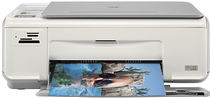
HP Photosmart C4210 Driver Download
- 7 drivers
- Supports Windows 10
- Windows · macOS · Linux
- ✓ Safe & free
The HP Printer Photosmart C4210 is a versatile machine that can handle printing, scanning, and copying tasks with ease. Its drop-on-demand thermal inkjet technology ensures high-quality printing every time. You can also enjoy the convenience of printing from various types of memory cards, including compact flash, Memory Stick, Duo, Pro, SD, and Multimedia Card. This printer is designed to handle a workload of up to 500 pages per month on average, with a maximum capacity of 5000 pages per month. This makes it an excellent choice for small to medium-sized offices or home use. In addition, the HP Printer Photosmart C4210 supports three different languages: HP PCL Level 3, PCL3 GUI, and PCL 10. This feature allows you to customize your printing experience and ensure that your documents are printed accurately and efficiently. Overall, the HP Printer Photosmart C4210 is a reliable and efficient multifunction printer that can handle all your printing needs. With its advanced technology and versatile features, it is an excellent choice for anyone looking for a high-quality printer that can perform a variety of tasks.
HP Photosmart C4210 Driver Downloads
| Driver | Operating System | Version | Size | Download |
|---|---|---|---|---|
| Full Feature Drivers Recommended | Windows 10Windows 8.1Windows 8 | — | 179.3 MB | Download |
| Full Feature Drivers | Windows 7 | — | 209.7 MB | Download |
| Full Feature Drivers | Windows VistaWindows XP | — | 150.8 MB | Download |
| Basic | Windows VistaWindows XP | — | 36.5 MB | Download |
| Multi Function Products Driver IT Professional Use Only | Windows VistaWindows XP | — | 42.4 MB | Download |
| Full Feature Drivers | macOS | — | 139.6 MB | Download |
| Full Feature Drivers | macOS | — | 188 MB | Download |
How to Install the HP Photosmart C4210 Driver
- Click the recommended driver package above and save the file to your PC.
- Open the downloaded file and follow the on-screen HP installer.
- Connect the Photosmart C4210 by USB or network when prompted.
- Finish and print a test page to confirm the driver works.