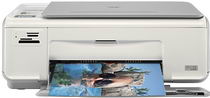
HP Photosmart C4270 Driver Download
- 7 drivers
- Supports Windows 10
- Windows · macOS · Linux
- ✓ Safe & free
HP is a leading provider of various printer models catering to different needs. If you're in the market for a printer, the HP Printer Photosmart C4270 is a top pick. This printer boasts support for three distinct languages, namely HP PCL Level 3, PCL3 GUI, and PCL 10. It employs thermal inkjet technology to produce high-quality printouts and comes with a generous memory of either 8 MB ROM or 32 MB DRAM. Whether you're looking to print out documents for personal or professional use, the HP Printer Photosmart C4270 has got you covered. With its advanced features and versatile language support, it offers unparalleled value for your money. So why wait? Order yours today and experience the convenience of having a reliable printer at your fingertips!.
HP Photosmart C4270 Driver Downloads
| Driver | Operating System | Version | Size | Download |
|---|---|---|---|---|
| Full Feature Drivers Recommended | Windows 10Windows 8.1Windows 8 | — | 179.3 MB | Download |
| Full Feature Drivers | Windows 7 | — | 209.7 MB | Download |
| Full Feature Drivers | Windows VistaWindows XP | — | 150.8 MB | Download |
| Basic | Windows VistaWindows XP | — | 36.5 MB | Download |
| Multi Function Products Driver IT Professional Use Only | Windows VistaWindows XP | — | 42.4 MB | Download |
| Full Feature Drivers | macOS | — | 139.6 MB | Download |
| Full Feature Drivers | macOS | — | 188 MB | Download |
How to Install the HP Photosmart C4270 Driver
- Click the recommended driver package above and save the file to your PC.
- Open the downloaded file and follow the on-screen HP installer.
- Connect the Photosmart C4270 by USB or network when prompted.
- Finish and print a test page to confirm the driver works.