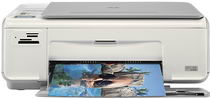
HP Photosmart C4283 Driver Download
- 7 drivers
- Supports Windows 10
- Windows · macOS · Linux
- ✓ Safe & free
Printer SpecificationThe printer's capabilities are topped off with drop-on-demand thermal inkjet technology, ensuring high-quality prints. The HP PCL level 3, PCL3 GUI, or PCL 10 printing language is utilized, providing versatility in document formatting. Print speed is dependent on the complexity of the document and the printer model being used. When printing in black, the resolution is 600 x 600 dpi in normal mode. For color prints, the optimized color resolution is an impressive 4800 x 1200 dpi with HP PhotoREt III technology.The multifunctional gadget provides versatile media compatibility, catering to a wide range of document needs. With the ability to handle various media types, including photopapers, plain paper, envelopes, transparent films, and legal-sized documents, this innovative device is a game-changer for any office setting. Its adaptability makes it a go-to solution for professionals who demand excellence in their everyday tasks. Whether it's for printing, copying, scanning, or faxing, this device has got you covered. Experience convenience and quality with this cutting-edge technology.
HP Photosmart C4283 Driver Downloads
| Driver | Operating System | Version | Size | Download |
|---|---|---|---|---|
| Full Feature Drivers Recommended | Windows 10Windows 8.1Windows 8 | — | 179.3 MB | Download |
| Full Feature Drivers | Windows 7 | — | 209.7 MB | Download |
| Full Feature Drivers | Windows VistaWindows XP | — | 150.8 MB | Download |
| Basic | Windows VistaWindows XP | — | 36.5 MB | Download |
| Multi Function Products Driver IT Professional Use Only | Windows VistaWindows XP | — | 42.4 MB | Download |
| Full Feature Drivers | macOS | — | 139.6 MB | Download |
| Full Feature Drivers | macOS | — | 188 MB | Download |
How to Install the HP Photosmart C4283 Driver
- Click the recommended driver package above and save the file to your PC.
- Open the downloaded file and follow the on-screen HP installer.
- Connect the Photosmart C4283 by USB or network when prompted.
- Finish and print a test page to confirm the driver works.