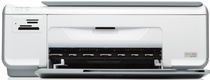
HP Photosmart C4345 Driver Download
- 6 drivers
- Supports Windows 8.1
- Windows · macOS · Linux
- ✓ Safe & free
Introducing the HP Photosmart C4345 - a versatile all-in-one printer that boasts a sleek and lightweight design, perfect for both personal and professional use. This printer is part of the HP C4340 Printer series and has a part number of CC271A. With physical dimensions of 16.7 x 44 x 25.9 cm (HWD) and a weight of 10 pounds, the HP Photosmart C4345 is easy to move around and fits seamlessly into any workspace. This printer is compatible with a range of media sizes, including plain paper, index cards, and transparent films. It's also capable of handling legal-sized paper, photo paper, and labels, making it a versatile choice for a variety of printing needs. If you're in need of a printer that can keep up with your busy lifestyle, the HP Photosmart C4345 is a great choice. Whether you're printing documents for work, photos for a project, or anything in between, this all-in-one printer has got you covered. So why wait? Invest in the HP Photosmart C4345 today and experience the convenience and reliability of a top-quality printer!.
HP Photosmart C4345 Driver Downloads
| Driver | Operating System | Version | Size | Download |
|---|---|---|---|---|
| Full Feature Drivers Recommended | Windows 8.1Windows 8 | — | 189.6 MB | Download |
| Full Feature Drivers | Windows 7 | — | 218 MB | Download |
| Full Feature Drivers | Windows VistaWindows XP | — | 148.2 MB | Download |
| Basic | Windows VistaWindows XP | — | 41.6 MB | Download |
| Full Feature Drivers | macOS | — | 139.6 MB | Download |
| Full Feature Drivers | macOS | — | 183.2 MB | Download |
How to Install the HP Photosmart C4345 Driver
- Click the recommended driver package above and save the file to your PC.
- Open the downloaded file and follow the on-screen HP installer.
- Connect the Photosmart C4345 by USB or network when prompted.
- Finish and print a test page to confirm the driver works.