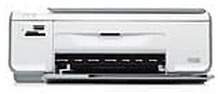
HP Photosmart C4348 Driver Download
- 6 drivers
- Supports Windows 8.1
- Windows · macOS · Linux
- ✓ Safe & free
Looking for a multi-functional all-in-one printer? Look no further than the HP Photosmart C4348. This printer is perfect for both personal and commercial use, thanks to its compact size and lightweight design. The device measures just 7.0 inches in height, 16.8 inches in width, and 10.2 inches in depth, with a net weight of 4.5 kg. With its impressive features and easy-to-use interface, the HP Photosmart C4348 is a top choice for anyone in need of a reliable and versatile printer.According to the print specifications, this printer boasts Panorama-size printing. It utilizes a drop-on-demand thermal inkjet print method and features PCL3 GUI print language. With a monthly duty cycle of up to 3000 pages, this printer is designed to handle high-volume printing needs. Additionally, it offers a print resolution of up to 1200X1200 rendered dpi in black and 4800X1200 optimized dpi in color. The print speed varies based on the complexity of the document, ensuring optimal performance.
HP Photosmart C4348 Driver Downloads
| Driver | Operating System | Version | Size | Download |
|---|---|---|---|---|
| Full Feature Driver Recommended | Windows 8.1Windows 8 | — | 189.6 MB | Download |
| Full Feature Driver | Windows 7 | — | 218 MB | Download |
| Full Feature Drivers | Windows VistaWindows XP | — | 148.2 MB | Download |
| Basic | Windows VistaWindows XP | — | 41.6 MB | Download |
| Full Feature Drivers | macOS | — | 139.6 MB | Download |
| Full Feature Drivers | macOS | — | 183.2 MB | Download |
How to Install the HP Photosmart C4348 Driver
- Click the recommended driver package above and save the file to your PC.
- Open the downloaded file and follow the on-screen HP installer.
- Connect the Photosmart C4348 by USB or network when prompted.
- Finish and print a test page to confirm the driver works.