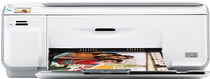
HP Photosmart C4440 Driver Download
- 6 drivers
- Supports Windows 10
- Windows · macOS · Linux
- ✓ Safe & free
HP Printer Photosmart C4440 DescriptionThe Q8390A, also known as the HP Photosmart C440, is a versatile all-in-one printer that can handle printing, scanning, and copying tasks with ease. It boasts a high resolution of 1200 x 1200 dpi when printing in black from a computer system, guaranteeing sharp and clear text. Meanwhile, when printing in color, this printer can produce output at an optimized resolution of 4800 x 1200 dpi with 1200 dpi, ensuring vibrant and accurate colors. The print speed of the HP Photosmart C440 varies depending on the complexity of the document being printed. However, with its PCL3 GUI print language and drop-on-demand thermal inkjet technology, you can expect fast and reliable printing results every time. So whether you're printing documents for work or photos for personal use, the HP Photosmart C440 is a reliable choice.
HP Photosmart C4440 Driver Downloads
| Driver | Operating System | Version | Size | Download |
|---|---|---|---|---|
| Full Feature Drivers Recommended | Windows 10Windows 8.1Windows 8 | — | 178.5 MB | Download |
| Full Feature Drivers | Windows 7 | — | 205.1 MB | Download |
| Full Feature Drivers | Windows VistaWindows XP | — | 146.7 MB | Download |
| Basic | Windows VistaWindows XP | — | 41.6 MB | Download |
| Full Feature Drivers | macOS | — | 139.6 MB | Download |
| Full Feature Drivers | macOS | — | 183.6 MB | Download |
How to Install the HP Photosmart C4440 Driver
- Click the recommended driver package above and save the file to your PC.
- Open the downloaded file and follow the on-screen HP installer.
- Connect the Photosmart C4440 by USB or network when prompted.
- Finish and print a test page to confirm the driver works.