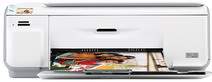
HP Photosmart C4488 Driver Download
HPFree Download
- 6 drivers
- Supports Windows 10
- Windows · macOS · Linux
- ✓ Safe & free
Introducing the Q8388D - an all-in-one printer that boasts a sleek design with impressive physical dimensions. Standing tall at 167mm and measuring 434mm wide, this printer is a compact powerhouse that weighs in at a mere 5.0 Kg. When it comes to depth, the Q8388D is equipped with a tray extender that can be either open or closed, resulting in varying measurements. With the tray extender open, the printer's depth is 567mm, while it measures 403mm with it closed. For your convenience, replacement print cartridges and other supplies are readily available from the HP Store and select local retailers. Say goodbye to the hassle of sourcing for compatible accessories, and enjoy the ease and accessibility that the Q8388D has to offer.
Ad
HP Photosmart C4488 Driver Downloads
| Driver | Operating System | Version | Size | Download |
|---|---|---|---|---|
| Full Feature Driver Recommended | Windows 10Windows 8.1Windows 8 | — | 178.5 MB | Download |
| Full Feature Driver | Windows 7 | — | 205.1 MB | Download |
| Full Feature Drivers | Windows VistaWindows XP | — | 146.7 MB | Download |
| Basic | Windows VistaWindows XP | — | 41.6 MB | Download |
| Full Feature Drivers | macOS | — | 139.6 MB | Download |
| Full Feature Drivers | macOS | — | 183.6 MB | Download |
Ad
How to Install the HP Photosmart C4488 Driver
- Click the recommended driver package above and save the file to your PC.
- Open the downloaded file and follow the on-screen HP installer.
- Connect the Photosmart C4488 by USB or network when prompted.
- Finish and print a test page to confirm the driver works.
Frequently Asked Questions
Which Photosmart C4488 driver should I download?
For most users the Full Feature / Full Solution package is recommended, as it includes printing plus scanning where supported. Choose a basic print driver if you only need to print.
Are these Photosmart C4488 driver files safe to install?
Yes. Each file is the manufacturer driver and every download shows its exact file size so you can confirm the correct package before installing.
Ad