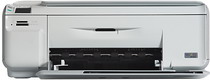
HP Photosmart C4580 Driver Download
- 8 drivers
- Supports Windows 10
- Windows · macOS · Linux
- ✓ Safe & free
HP Printer Photosmart C4580 DescriptionThe HP Photosmart C4580 is a versatile all-in-one printer that boasts the ability to print, scan, and copy documents with ease. With physical dimensions of 162 x 434 x 587 mm (HWD with open tray) and a weight of 5.06 Kg, it is a compact yet powerful device that can handle all your printing needs. In terms of power consumption, the HP Photosmart C4580 is quite efficient, with a maximum power output of 20 watts when printing at an average volume. The input voltage range is between 100 to 240 volts, with a frequency of 50 – 60 Hz. On the other hand, the output voltage is 32 V DC = 375 mA, making it a reliable and stable device for all your printing needs. Whether you're looking to print out documents, scan important papers, or make copies of important information, the HP Photosmart C4580 is the perfect all-in-one printer for your needs. With its versatile capabilities and efficient power usage, it is an excellent investment for any home or office.
HP Photosmart C4580 Driver Downloads
| Driver | Operating System | Version | Size | Download |
|---|---|---|---|---|
| Full Feature Drivers Recommended | Windows 10Windows 8.1Windows 8 | — | 152.3 MB | Download |
| Full Feature Drivers | Windows 7 | — | 181.9 MB | Download |
| Full Feature Drivers | Windows VistaWindows XP | — | 149.4 MB | Download |
| Basic | Windows VistaWindows XP | — | 56 MB | Download |
| ePrint Software Network and Wireless Connected Printers | Windows 10Windows 8.1Windows 8Windows 7 | — | 26.2 MB | Download |
| ePrint Software Network and Wireless Connected Printers | Windows 10Windows 8.1Windows 8Windows 7 | — | 31.2 MB | Download |
| Full Feature Drivers | macOS | — | 139.6 MB | Download |
| Full Feature Drivers | macOS | — | 153.6 MB | Download |
How to Install the HP Photosmart C4580 Driver
- Click the recommended driver package above and save the file to your PC.
- Open the downloaded file and follow the on-screen HP installer.
- Connect the Photosmart C4580 by USB or network when prompted.
- Finish and print a test page to confirm the driver works.