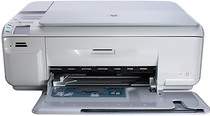
HP Photosmart C4585 Driver Download
- 8 drivers
- Supports Windows 10
- Windows · macOS · Linux
- ✓ Safe & free
Introducing the HP Photosmart C4584 printer - the ultimate all-in-one solution for your printing needs. With top-notch printing, copying, and scanning capabilities, this model boasts a product number of Q8405B among the esteemed HP C4500 printer series. Compatible with Microsoft Windows OS versions XP, Windows Vista, Windows 7, Windows 8, Windows 8.1, and Windows 10, the HP Photosmart C4584 printer ensures seamless integration with your existing systems. However, please note that this product is not compatible with the Windows 2000 and other earlier versions of Windows OS. For Mac users, the HP Photosmart C4584 printer is compatible with the latest Macintosh OS versions, ensuring that your printing needs are met regardless of your operating system preferences. With its high-quality printing and speedy performance, the HP Photosmart C4584 printer is the perfect choice for all your printing needs.
HP Photosmart C4585 Driver Downloads
| Driver | Operating System | Version | Size | Download |
|---|---|---|---|---|
| Full Feature Drivers Recommended | Windows 10Windows 8.1Windows 8 | — | 152.3 MB | Download |
| Full Feature Drivers | Windows 7 | — | 181.9 MB | Download |
| Full Feature Drivers | Windows VistaWindows XP | — | 149.4 MB | Download |
| Basic | Windows VistaWindows XP | — | 56 MB | Download |
| ePrint Software Network and Wireless Connected Printers | Windows 10Windows 8.1Windows 8Windows 7 | — | 26.2 MB | Download |
| ePrint Software Network and Wireless Connected Printers | Windows 10Windows 8.1Windows 8Windows 7 | — | 31.2 MB | Download |
| Full Feature Drivers | macOS | — | 139.6 MB | Download |
| Full Feature Drivers | macOS | — | 153.6 MB | Download |
How to Install the HP Photosmart C4585 Driver
- Click the recommended driver package above and save the file to your PC.
- Open the downloaded file and follow the on-screen HP installer.
- Connect the Photosmart C4585 by USB or network when prompted.
- Finish and print a test page to confirm the driver works.