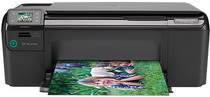
HP Photosmart C4750 Driver Download
- 7 drivers
- Supports Windows 10
- Windows · macOS · Linux
- ✓ Safe & free
HP Printer Photosmart C4750 DescriptionIntroducing an exceptional all-in-one printer, capable of delivering high-quality prints, scans, and copies. The device boasts an impressive printing resolution of 12 x 1200 dpi, ensuring sharp and crisp black prints that leave a lasting impression. What's more, the printing function offers a panoramic-size capability, making it perfect for printing large-format documents. The secret behind the device's remarkable printing performance is its cutting-edge Thermal inkjet technology. This technology ensures that every print is of the highest quality, with vibrant colors and sharp lines that make your documents stand out. To make things even better, the printer uses a PCL3 GUI language, making it easy to use and navigate. So whether you're a seasoned pro or a beginner, you'll be able to get the most out of this amazing device. In summary, the all-in-one printer is the perfect choice for anyone looking for a reliable, high-quality printing, scanning, and copying solution. Its advanced technology, combined with its ease of use, makes it a must-have for any home or office. Get yours today and experience the difference!.
HP Photosmart C4750 Driver Downloads
| Driver | Operating System | Version | Size | Download |
|---|---|---|---|---|
| Full Feature Drivers Recommended | Windows 10Windows 8.1Windows 8 | — | 145.7 MB | Download |
| Full Feature Drivers | Windows 7Windows VistaWindows XP | — | 149.7 MB | Download |
| Basic | Windows 7Windows VistaWindows XP | — | 67.6 MB | Download |
| ePrint Software Network and Wireless Connected Printers | Windows 10Windows 8.1Windows 8Windows 7 | — | 26.2 MB | Download |
| ePrint Software Network and Wireless Connected Printers | Windows 10Windows 8.1Windows 8Windows 7 | — | 31.2 MB | Download |
| Full Feature Drivers | macOS | — | 125.6 MB | Download |
| Full Feature Drivers | macOS | — | 143.6 MB | Download |
How to Install the HP Photosmart C4750 Driver
- Click the recommended driver package above and save the file to your PC.
- Open the downloaded file and follow the on-screen HP installer.
- Connect the Photosmart C4750 by USB or network when prompted.
- Finish and print a test page to confirm the driver works.