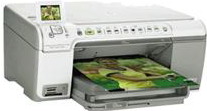
HP Photosmart C5290 Driver Download
- 6 drivers
- Supports Windows
- Windows · macOS · Linux
- ✓ Safe & free
The HP Photosmart C5290 printer stands out as a top-notch all-in-one printing solution for small businesses and organizations alike. Boasting compatibility with multiple memory slots, including memory stick, memory stick duo, secure digital and XD-picture card, it's flexible enough to cater to diverse needs. With its small and compact design, it's easy to install in tight spaces, making it the go-to choice for those with limited office real estate. Additionally, it's an eco-friendly option that boasts low power consumption, making it a smart choice for those looking to reduce their carbon footprint.Cartridges for HP Photosmart C5290 Printer If you own an HP Photosmart C5290 printer, you want to ensure that you are using the right cartridges to get the best possible printing results. Fortunately, finding the right cartridges for your printer is easy. The HP Photosmart C5290 printer uses individual ink cartridges, each of which contains a specific color of ink. This ensures that you only have to replace the cartridges that run out of ink, rather than having to replace an entire cartridge when only one color runs out. When it comes to purchasing cartridges for your HP Photosmart C5290 printer, you have several options. You can purchase original HP cartridges that are specifically designed for your printer. These cartridges are tested to ensure they work seamlessly with your printer and produce high-quality prints. Alternatively, you can opt for compatible or remanufactured cartridges. These cartridges are made by third-party manufacturers and are often less expensive than original HP cartridges. However, it is important to ensure that the cartridges you purchase are compatible with your printer to avoid any potential damage or issues. No matter which cartridges you choose, it is important to properly install them in your printer to ensure the best possible printing results. Be sure to follow the manufacturer's instructions and handle the cartridges with care to avoid any damage or leaks. In summary, when it comes to purchasing cartridges for your HP Photosmart C5290 printer, you have several options to choose from. Whether you opt for original HP cartridges or compatible cartridges, be sure to properly install them and handle them with care to ensure the best possible printing results.The HP74 Black Original Ink Cartridge (~200 pages), HP75 Tri-color Original Ink Cartridge (~170 pages), and HP100 Gray Photo Original Ink Cartridge (~80 pages) are essential components for your printing needs. These cartridges provide unparalleled print quality and are designed to work seamlessly with your HP printer. The HP74 Black Original Ink Cartridge is perfect for creating professional-looking documents with crisp text and sharp graphics. With a yield of up to 200 pages, you can easily tackle your printing needs without worrying about running out of ink. The HP75 Tri-color Original Ink Cartridge is ideal for printing vivid and vibrant photos and graphics. With a yield of up to 170 pages, this cartridge ensures that your images are always crisp and clear, with true-to-life color reproduction. Finally, the HP100 Gray Photo Original Ink Cartridge is a must-have for photographers who demand the highest-quality prints. This cartridge is specially designed to produce stunning black-and-white photos with rich, deep tones and subtle gradations. Whether you're printing documents, photos, or graphics, the HP74 Black Original Ink Cartridge, HP75 Tri-color Original Ink Cartridge, and HP100 Gray Photo Original Ink Cartridge are the perfect choices for all your printing needs. So why wait? Order yours today and experience the difference that genuine HP ink cartridges can make!Looking for the HP Photosmart C5290 driver downloads? Look no further! We've got you covered with downloads for both Windows 32-bit and 64-bit, as well as Macintosh operating systems. Simply click on the following links to get started: - HP Photosmart C5290 driver downloads for Windows 32-bit - HP Photosmart C5290 driver downloads for Windows 64-bit - HP Photosmart C5290 driver downloads for Macintosh operating system With these downloads, you'll have access to the latest drivers for your HP Photosmart C5290 printer. This means you can enjoy improved performance and functionality, as well as better print quality. So why wait? Download your drivers today and experience the difference for yourself!.
HP Photosmart C5290 Driver Downloads
| Driver | Operating System | Version | Size | Download |
|---|---|---|---|---|
| basic Recommended | Windows | — | 36.1 MB | Download |
| All in One printer | Windows 10Windows 8.1Windows 8 | — | 280.4 MB | Download |
| All in One printer | Windows 7 | — | 312 MB | Download |
| All in One printer | Windows VistaWindows XP | — | 196.1 MB | Download |
| All in One printer | macOS | — | 139.6 MB | Download |
| All in One printer | macOS | — | 191.3 MB | Download |
How to Install the HP Photosmart C5290 Driver
- Click the recommended driver package above and save the file to your PC.
- Open the downloaded file and follow the on-screen HP installer.
- Connect the Photosmart C5290 by USB or network when prompted.
- Finish and print a test page to confirm the driver works.