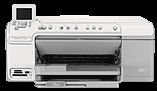
HP Photosmart C5380 Driver Download
- 6 drivers
- Supports Windows 10
- Windows · macOS · Linux
- ✓ Safe & free
The HP Photosmart C5380 is an exceptional all-in-one printer that boasts versatile functions such as scanning, printing, and copying. This printer is highly compatible with various operating systems, including the 64-bit and 32-bit versions of Windows 7. If you are seeking a printer that can do it all, the HP Photosmart C5380 is an excellent choice. It's not just limited to Windows 7 either, as it also supports other operating systems such as Windows 7 Professional, Home Basic, Enterprise, Home Premium, and Ultimate with both 32-bit and 64-bit capabilities. With its advanced features and broad compatibility, the HP Photosmart C5380 is a reliable and efficient all-in-one printer that can handle all your printing, scanning, and copying needs with ease. So, if you want a printer that can do it all, the HP Photosmart C5380 is definitely worth considering.
HP Photosmart C5380 Driver Downloads
| Driver | Operating System | Version | Size | Download |
|---|---|---|---|---|
| Full Feature Drivers Recommended | Windows 10Windows 8.1Windows 8 | — | 149.3 MB | Download |
| Full Feature Drivers | Windows 7 | — | 179.1 MB | Download |
| Full Feature Drivers | Windows VistaWindows XP | — | 141.8 MB | Download |
| Basic | Windows VistaWindows XP | — | 45.7 MB | Download |
| Full Feature Drivers | macOS | — | 139.8 MB | Download |
| Full Feature Drivers | macOS | — | 151.7 MB | Download |
How to Install the HP Photosmart C5380 Driver
- Click the recommended driver package above and save the file to your PC.
- Open the downloaded file and follow the on-screen HP installer.
- Connect the Photosmart C5380 by USB or network when prompted.
- Finish and print a test page to confirm the driver works.