HP Photosmart C5390 Driver Download
- 6 drivers
- Supports Windows 10
- Windows · macOS · Linux
- ✓ Safe & free
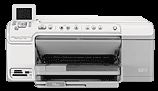
The HP Photosmart C5390 is an all-in-one device that boasts an array of built-in templates for various high-quality prints. With options like wide-ruled notebook paper, perfect music sheets, assignments, or graph paper, you can cater to your specific printing needs. Or, if you're looking to stay organized, you can print out a checklist to keep track of your tasks. This versatile printer is suitable for both office and home use, thanks to its wide range of features. Its unique shape is not just for aesthetics, but also for functionality. The printer comes equipped with a CD/DVD holder storage, CD/DVD access door, color graphics display, as well as frontal and rear USB ports. Other essential features include the power connection port using a recommended HP cable, main input tray, output tray, lid backing, and ink carriage door. Additionally, it contains a paper tray extender, memory card slots, and photo light, among others. All in all, the HP Photosmart C5390 is an excellent choice for those looking for a versatile all-in-one printer that can cater to their unique printing needs. Its wide range of features and functionalities make it a great investment for both personal and professional use.
HP Photosmart C5390 Driver Downloads
| Driver | Operating System | Version | Size | Download |
|---|---|---|---|---|
| Full Feature Drivers Recommended | Windows 10Windows 8.1Windows 8 | — | 149.3 MB | Download |
| Full Feature Drivers | Windows 7 | — | 179.1 MB | Download |
| Full Feature Drivers | Windows VistaWindows XP | — | 141.8 MB | Download |
| Basic | Windows VistaWindows XP | — | 45.7 MB | Download |
| Full Feature Drivers | macOS | — | 139.8 MB | Download |
| Full Feature Drivers | macOS | — | 151.7 MB | Download |
How to Install the HP Photosmart C5390 Driver
- Click the recommended driver package above and save the file to your PC.
- Open the downloaded file and follow the on-screen HP installer.
- Connect the Photosmart C5390 by USB or network when prompted.
- Finish and print a test page to confirm the driver works.