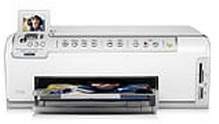
HP Photosmart C6270 Driver Download
- 9 drivers
- Supports Windows 10
- Windows · macOS · Linux
- ✓ Safe & free
If you're in the market for a printer that's both lightweight and eco-friendly, look no further than the HP Photosmart C6270. With its sleek and compact design, this device is perfect for both personal and professional use. Whether you're looking to print documents or photos, the HP Photosmart C6270 is up to the task. Its advanced printing technology ensures that your prints come out crisp and clear, while its energy-efficient design helps to reduce your carbon footprint. So if you're looking for a printer that's both efficient and environmentally responsible, be sure to check out the HP Photosmart C6270 today!The printer's environmental requirements dictate that it must be maintained in optimal conditions, with an operational range of -40°C to 60°C. To ensure optimal performance, the printer must be kept within a temperature zone of 15º to 32ºC. Adhering to this temperature range will guarantee that the device functions seamlessly and with maximum efficiency.
HP Photosmart C6270 Driver Downloads
| Driver | Operating System | Version | Size | Download |
|---|---|---|---|---|
| Full Feature Drivers Recommended | Windows 10Windows 8.1Windows 8 | — | 281.7 MB | Download |
| Full Feature Drivers | Windows 7 | — | 312 MB | Download |
| Full Feature Drivers | Windows VistaWindows XP | — | 196.1 MB | Download |
| Basic | Windows VistaWindows XP | — | 41.4 MB | Download |
| Basic Driver IT Professional Use Only | Windows VistaWindows XP | — | 60.2 MB | Download |
| ePrint Software Network and Wireless Connected Printers | Windows 10Windows 8.1Windows 8Windows 7 | — | 26.2 MB | Download |
| ePrint Software Network and Wireless Connected Printers | Windows 10Windows 8.1Windows 8Windows 7 | — | 31.2 MB | Download |
| Full Feature Drivers | macOS | — | 139.6 MB | Download |
| Full Feature Drivers | macOS | — | 191 MB | Download |
How to Install the HP Photosmart C6270 Driver
- Click the recommended driver package above and save the file to your PC.
- Open the downloaded file and follow the on-screen HP installer.
- Connect the Photosmart C6270 by USB or network when prompted.
- Finish and print a test page to confirm the driver works.