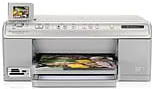
HP Photosmart C6375 Driver Download
- 6 drivers
- Supports Windows 10
- Windows · macOS · Linux
- ✓ Safe & free
Introduction of HP Printer Photosmart C6375The HP Printer Photosmart C6375 is a top-notch printer that's perfect for small businesses and companies. Developed by HP, it boasts exceptional performance when it comes to printing, scanning, and copying. This printer is a valuable asset for small offices and business organizations alike. With its compatibility with various operating systems like Windows Vista and Windows XP, the Photosmart C6375 can seamlessly integrate into any business setup. Its versatility makes it an excellent choice for companies that require a reliable printer with advanced features. Whether you're printing documents, scanning images, or making copies, the HP Printer Photosmart C6375 guarantees high-quality output. Its exceptional printing speed and precision ensure that you get your work done quickly and efficiently. Investing in the HP Printer Photosmart C6375 is a wise decision for any business looking for a reliable and efficient printer. Its advanced features and compatibility with different operating systems make it a valuable asset that can help your business grow and thrive.
HP Photosmart C6375 Driver Downloads
| Driver | Operating System | Version | Size | Download |
|---|---|---|---|---|
| Full Feature Drivers Recommended | Windows 10Windows 8.1Windows 8 | — | 200.5 MB | Download |
| Full Feature Drivers | Windows 7 | — | 232 MB | Download |
| Full Feature Drivers | Windows VistaWindows XP | — | 151.9 MB | Download |
| Basic | Windows VistaWindows XP | — | 56.1 MB | Download |
| Full Feature Drivers | macOS | — | 139.8 MB | Download |
| Full Feature Drivers | macOS | — | 152.7 MB | Download |
How to Install the HP Photosmart C6375 Driver
- Click the recommended driver package above and save the file to your PC.
- Open the downloaded file and follow the on-screen HP installer.
- Connect the Photosmart C6375 by USB or network when prompted.
- Finish and print a test page to confirm the driver works.