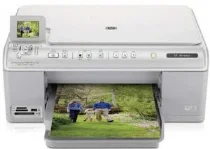
HP Photosmart C6380 Driver Download
- 6 drivers
- Supports Windows 10
- Windows · macOS · Linux
- ✓ Safe & free
All-in-one printers are experiencing a surge in popularity in the current market. These printers are typically designed for use in homes or small offices. The HP Photosmart C6380 is a photo-centric printer that provides advanced printing capabilities for all your home printing needs. It's an ideal printer for photo enthusiasts as it supports printing from PictBridge cameras, memory cards, and USB keys, delivering lab-quality photos every time. For those looking to print both text and graphics with exceptional quality, the HP Photosmart C6380 is an obvious choice. With its advanced printing capabilities, this printer offers unparalleled performance. So whether you're printing photos or documents, this printer is sure to deliver outstanding results every time.
HP Photosmart C6380 Driver Downloads
| Driver | Operating System | Version | Size | Download |
|---|---|---|---|---|
| Full Feature Drivers Recommended | Windows 10Windows 8.1Windows 8 | — | 200.5 MB | Download |
| Full Feature Drivers | Windows 7 | — | 232 MB | Download |
| Full Feature Drivers | Windows VistaWindows XP | — | 151.9 MB | Download |
| Basic | Windows VistaWindows XP | — | 56.1 MB | Download |
| Full Feature Drivers | macOS | — | 139.8 MB | Download |
| Full Feature Drivers | macOS | — | 152.7 MB | Download |
How to Install the HP Photosmart C6380 Driver
- Click the recommended driver package above and save the file to your PC.
- Open the downloaded file and follow the on-screen HP installer.
- Connect the Photosmart C6380 by USB or network when prompted.
- Finish and print a test page to confirm the driver works.