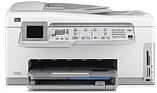
HP Photosmart C7250 Driver Download
- 9 drivers
- Supports Windows 10
- Windows · macOS · Linux
- ✓ Safe & free
The HP Photosmart C7250 is an all-encompassing device that boasts an impressive array of features suitable for a variety of applications. This multifunctional machine is capable of printing, scanning, copying, and faxing. What's more, it can connect to at least five different devices through both wired and wireless connections, making it an essential tool in a bustling office environment where numerous users require access to a single printer. The device's control panel allows users to access many of its functions without even having to turn on their computer, making it a convenient and efficient device for any setting. Its versatility and ease of use make it a top choice for professionals seeking a reliable and high-performance all-in-one printer.
HP Photosmart C7250 Driver Downloads
| Driver | Operating System | Version | Size | Download |
|---|---|---|---|---|
| Full Feature Drivers Recommended | Windows 10Windows 8.1Windows 8 | — | 281.7 MB | Download |
| Full Feature Drivers | Windows 7 | — | 312 MB | Download |
| Full Feature Drivers | Windows VistaWindows XP | — | 196.1 MB | Download |
| Basic | Windows VistaWindows XP | — | 41.4 MB | Download |
| Multi Function Products Driver Bundle IT Professional Use Only | Windows VistaWindows XP | — | 60.2 MB | Download |
| ePrint Software Network and Wireless Connected Printers | Windows 10Windows 8.1Windows 8Windows 7 | — | 26.2 MB | Download |
| ePrint Software Network and Wireless Connected Printers | Windows 10Windows 8.1Windows 8Windows 7 | — | 31.2 MB | Download |
| Full Feature Drivers | macOS | — | 139.6 MB | Download |
| Full Feature Drivers | macOS | — | 217.3 MB | Download |
How to Install the HP Photosmart C7250 Driver
- Click the recommended driver package above and save the file to your PC.
- Open the downloaded file and follow the on-screen HP installer.
- Connect the Photosmart C7250 by USB or network when prompted.
- Finish and print a test page to confirm the driver works.