HP Photosmart C7280 Driver Download
- 9 drivers
- Supports Windows 10
- Windows · macOS · Linux
- ✓ Safe & free
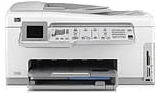
The HP Photosmart C7280 is a versatile all-in-one printer that allows for printing, copying, faxing, and scanning of documents from an original source. With its large size and ergonomic design, it is perfect for use in an office setting and can easily fit onto a desk. Measuring at 9.5 inches in height, 17.7 inches in width, and 17.4 inches in depth, this printer has a moderately big size that allows for efficient use. The printer weighs approximately 11 kg, making it sturdy and reliable. This HP printer comes with a 1-year warranty, ensuring that it is protected under any unforeseen circumstances. However, the software media only has a warranty of 90 days, so it is important to use it within that timeframe. The print or ink cartridges have a guarantee round, which offers further peace of mind. In addition to the printer itself, other accessories also have a warranty of 1 year, unless otherwise stated. With its superior features and durability, the HP Photosmart C7280 is a top choice for anyone seeking a high-quality all-in-one printer.
HP Photosmart C7280 Driver Downloads
| Driver | Operating System | Version | Size | Download |
|---|---|---|---|---|
| Full Feature Drivers Recommended | Windows 10Windows 8.1Windows 8 | — | 281.7 MB | Download |
| Full Feature Drivers | Windows 7 | — | 312 MB | Download |
| Full Feature Drivers | Windows VistaWindows XP | — | 196.1 MB | Download |
| Basic | Windows VistaWindows XP | — | 41.4 MB | Download |
| Multi Function Products Driver Bundle IT Professional Use Only | Windows VistaWindows XP | — | 60.2 MB | Download |
| ePrint Software Network and Wireless Connected Printers | Windows 10Windows 8.1Windows 8Windows 7 | — | 26.2 MB | Download |
| ePrint Software Network and Wireless Connected Printers | Windows 10Windows 8.1Windows 8Windows 7 | — | 31.2 MB | Download |
| Full Feature Drivers | macOS | — | 139.6 MB | Download |
| Full Feature Drivers | macOS | — | 217.3 MB | Download |
How to Install the HP Photosmart C7280 Driver
- Click the recommended driver package above and save the file to your PC.
- Open the downloaded file and follow the on-screen HP installer.
- Connect the Photosmart C7280 by USB or network when prompted.
- Finish and print a test page to confirm the driver works.