HP Photosmart Plus B209c Driver Download
- 6 drivers
- Supports Windows 10
- Windows · macOS · Linux
- ✓ Safe & free
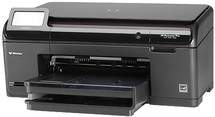
The HP Photosmart Plus B209c printer boasts cutting-edge technology that caters to both commercial and residential needs. Its sleek and compact design allows for easy storage anywhere in your abode. Thanks to its multiple input-output capabilities, operating the printer is fast and effortless. With wireless network 802.11 support, as well as Bluetooth wireless support, this printer is stacked with features that make printing a breeze.The capacity of the input tray is impressive, as it is capable of handling up to 24 lbs or approximately 125 sheets at once. However, the output tray has a limited capacity and can only hold up to 50 sheets at a time. This printer is compatible with a wide range of paper types, making it highly versatile. In terms of printing specifications, this printer boasts a resolution support of 4800 dpi, which is made possible through its advanced drop-on-demand thermal inkjet technology. It also uses the PCL3 GUI language for seamless integration with various devices. With a print speed of 30 ppm for black sheets and 28 ppm for color sheets, this printer is a reliable and efficient choice for any office or personal use.
HP Photosmart Plus B209c Driver Downloads
| Driver | Operating System | Version | Size | Download |
|---|---|---|---|---|
| Full Feature Driver Recommended | Windows 10Windows 8.1Windows 8 | — | 153 MB | Download |
| Full Feature Driver | Windows 7Windows VistaWindows XP | — | 157.1 MB | Download |
| Basic Drivers | Windows 7Windows VistaWindows XP | — | 68.8 MB | Download |
| ePrint Software Network and Wireless Connected Printers | Windows 10Windows 8.1Windows 8Windows 7 | — | 26.2 MB | Download |
| ePrint Software Network and Wireless Connected Printers | Windows 10Windows 8.1Windows 8Windows 7 | — | 31.2 MB | Download |
| Full Feature Drivers | macOS | — | 140.5 MB | Download |
How to Install the HP Photosmart Plus B209c Driver
- Click the recommended driver package above and save the file to your PC.
- Open the downloaded file and follow the on-screen HP installer.
- Connect the Photosmart Plus B209c by USB or network when prompted.
- Finish and print a test page to confirm the driver works.