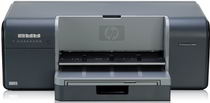
HP Photosmart Pro B8850 Driver Download
- 5 drivers
- Supports Windows 10
- Windows · macOS · Linux
- ✓ Safe & free
Looking for a printer that offers top-notch photo printing capabilities? Look no further than the Photosmart Pro B8850 Photo printer, an exceptional product from HP Company. This printer uses advanced thermal inkjet technology to produce stunning prints with unparalleled detail and clarity. With its ability to connect to your PC, this photo printer can produce high pixel images that will impress even the most discerning photography enthusiast. And despite its advanced features, the Photosmart Pro B8850 Photo printer is remarkably compact and easy to install in any small space. Whether you're a professional photographer or simply someone who demands the best in photo printing technology, this printer is an ideal choice. So why wait? Invest in the Photosmart Pro B8850 Photo printer today and experience the ultimate in photo printing quality and convenience.
HP Photosmart Pro B8850 Driver Downloads
| Driver | Operating System | Version | Size | Download |
|---|---|---|---|---|
| Full Feature Drivers Recommended | Windows 10Windows 8.1Windows 8 | — | 121 MB | Download |
| Full Feature Drivers | Windows 7 | — | 158.6 MB | Download |
| Full Feature Drivers | Windows VistaWindows XP | — | 171.4 MB | Download |
| Basic | Windows VistaWindows XP | — | 45.4 MB | Download |
| Full Feature Drivers | macOS | — | 151.8 MB | Download |
How to Install the HP Photosmart Pro B8850 Driver
- Click the recommended driver package above and save the file to your PC.
- Open the downloaded file and follow the on-screen HP installer.
- Connect the Photosmart Pro B8850 by USB or network when prompted.
- Finish and print a test page to confirm the driver works.