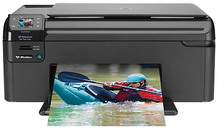
HP Photosmart Wireless B109n Driver Download
- 6 drivers
- Supports Windows 10
- Windows · macOS · Linux
- ✓ Safe & free
When it comes to photo printing, no other printer surpasses the HP Photosmart Wireless B109n in meeting expectations. This exceptional printer boasts outstanding printing, scanning, and copying capabilities that are truly remarkable. Its all-in-one functionalities make it the preferred choice for both residential and professional usage alike.This printer is incredibly lightweight, with a total weight of only 15.7 lb. Its sleek dimensions make it easy to fit into a variety of spaces, making it an ideal option for those with limited space. The printer offers both input and output support through a variety of ports, including USB, wireless network, and memory card slots. These slots are compatible with a range of memory types, including memory sticks, multimedia cards, digital cards, and MicroSD cards (although an adapter may be required for the latter). In order to use the wireless system, a minimum requirement of wireless 802.11 networks is necessary. Users will also need an additional WPS enabled wireless router or access point to ensure proper connectivity.
HP Photosmart Wireless B109n Driver Downloads
| Driver | Operating System | Version | Size | Download |
|---|---|---|---|---|
| Photosmart B109n Full Feature Driver Recommended | Windows 10Windows 8.1Windows 8 | — | 148.4 MB | Download |
| Photosmart B109n Full Feature Driver | Windows 7Windows VistaWindows XP | — | 152.4 MB | Download |
| Photosmart B109n Basic Drivers | Windows 7Windows VistaWindows XP | — | 67.5 MB | Download |
| Photosmart B109n ePrint Software Network and Wireless Connected Printers | Windows 10Windows 8.1Windows 8Windows 7 | — | 26.2 MB | Download |
| Photosmart B109n ePrint Software Network and Wireless Connected Printers | Windows 10Windows 8.1Windows 8Windows 7 | — | 31.2 MB | Download |
| Photosmart B109n Full Feature Drivers | macOS | — | 138 MB | Download |
How to Install the HP Photosmart Wireless B109n Driver
- Click the recommended driver package above and save the file to your PC.
- Open the downloaded file and follow the on-screen HP installer.
- Connect the Photosmart Wireless B109n by USB or network when prompted.
- Finish and print a test page to confirm the driver works.