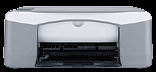
HP PSC 1417 Driver Download
- 7 drivers
- Supports Windows 10
- Windows · macOS · Linux
- ✓ Safe & free
Introducing the HP PSC 1417 - a remarkable portable printer designed to suit small spaces with ease. With its compact physical dimensions of 7.0 x 16.8 x 10.2 inches and a weight of only 10 pounds, it is a perfect fit for any workspace. What's more, this printer boasts of a minimal power supply consumption, with a maximum power consumption of only 80 watts. The HP PSC 1417 operates on an AC input range of 100 – 240 volts, at 50 – 60 Hz, and produces an output of 32 volts DC. This ensures that the printer runs efficiently, with minimal energy wastage. With its impressive power output, this printer can handle even the most demanding printing tasks with ease. Invest in the HP PSC 1417 today and enjoy the benefits of a portable printer that delivers high-quality prints while saving on energy costs. Its sleek design and impressive power output make it an ideal choice for individuals and businesses that value both style and efficiency. Get yours today and experience the difference!.
HP PSC 1417 Driver Downloads
| Driver | Operating System | Version | Size | Download |
|---|---|---|---|---|
| Full Feature Drivers Recommended | Windows 10Windows 8.1Windows 8 | — | 326.2 MB | Download |
| Full Feature Drivers | Windows 7 | — | 362.7 MB | Download |
| Full Feature Drivers | Windows Vista | — | 163.3 MB | Download |
| Basic | Windows XP | — | 71 MB | Download |
| Printer | macOS | — | 18.6 MB | Download |
| Full Feature Drivers | macOS | — | 131.1 MB | Download |
| Full Feature Drivers | macOS | — | 174.2 MB | Download |
How to Install the HP PSC 1417 Driver
- Click the recommended driver package above and save the file to your PC.
- Open the downloaded file and follow the on-screen HP installer.
- Connect the PSC 1417 by USB or network when prompted.
- Finish and print a test page to confirm the driver works.