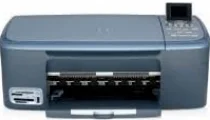
HP PSC 2353 Driver Download
- 5 drivers
- Supports Windows Vista
- Windows · macOS · Linux
- ✓ Safe & free
HP PSC 2353 All-in-One Printer Cartridges are essential components of your printer. These cartridges contain ink or toner that is used to print documents or images. Without proper cartridges, your printer cannot function effectively. When it comes to purchasing cartridges for your HP PSC 2353 All-in-One Printer, it is important to choose high-quality products that are compatible with your printer. There are many different types of cartridges available, including original HP cartridges and third-party options. Original HP cartridges are specifically designed for your printer and are guaranteed to provide the best quality prints. They are also backed by HP's warranty, which ensures that you receive a replacement if the cartridge fails. Third-party cartridges are often less expensive than original HP cartridges, but they may not provide the same quality prints or be as reliable. It is important to research and choose a reputable third-party supplier to ensure that you get a compatible and reliable cartridge. In summary, HP PSC 2353 All-in-One Printer Cartridges are an essential component of your printer and it is important to choose high-quality products that are compatible and reliable. Whether you choose original HP cartridges or third-party options, make sure to do your research and select a reputable supplier.The HP 94 Black Original Ink Cartridge (~480 pages) is a top-tier option for those who prioritize high-quality text documents. Meanwhile, the HP 95 Tri-color Inkjet Print Cartridge (~330 pages) is an excellent choice for vivid and accurate color printing. For those in need of even more colorful prints, the HP 97 Tri-color Original Ink Cartridge (~560 pages) offers an extended page yield with exceptional color accuracy. Finally, the HP 99 Photo Original Ink Cartridge (~130 pages) is specially designed for printing high-quality photographs with stunning clarity and detail. No matter your printing needs, HP has a cartridge to suit your requirements. Trust in HP's expertise to provide you with the best quality prints every time.HP PSC 2353.
HP PSC 2353 Driver Downloads
| Driver | Operating System | Version | Size | Download |
|---|---|---|---|---|
| Full Feature Drivers Recommended | Windows Vista | — | 163.3 MB | Download |
| Full Feature Drivers | Windows XP | — | 426.9 MB | Download |
| Basic Drivers | Windows XP | — | 39.7 MB | Download |
| Full Feature Drivers | macOS | — | 150.5 MB | Download |
| Full Feature Drivers | macOS | — | 182.1 MB | Download |
How to Install the HP PSC 2353 Driver
- Click the recommended driver package above and save the file to your PC.
- Open the downloaded file and follow the on-screen HP installer.
- Connect the PSC 2353 by USB or network when prompted.
- Finish and print a test page to confirm the driver works.