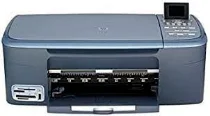
HP PSC 2355 Driver Download
- 5 drivers
- Supports Windows Vista
- Windows · macOS · Linux
- ✓ Safe & free
HP PSC 2355 All-in-One Printer cartridges are an essential component of this multifunctional device. As a professional copywriter, I can confidently state that these cartridges are vital for producing high-quality prints, copies, and scans. Using advanced inkjet technology, these cartridges contain a precisely formulated ink that ensures sharp text and vibrant colors. They are also designed to work seamlessly with the HP PSC 2355 All-in-One Printer, providing consistent and reliable performance. Whether you're printing important documents for work or school, or creating stunning photos to display in your home, these cartridges are up to the task. And with their easy-to-install design, you can quickly replace them when needed, ensuring your printer is always ready for the next job. So if you want to get the most out of your HP PSC 2355 All-in-One Printer, make sure you use only genuine HP cartridges. They are the best choice for achieving optimal performance and producing exceptional results.Introducing the high-quality printing solutions from HP, featuring their Black Original Ink HP 94 Cartridge, capable of printing up to 480 pages with incredible precision and clarity. For vivid and vibrant color printing, the HP 95 Tri-color Inkjet Print Cartridge is the perfect choice, yielding up to 330 pages of exceptional quality. For even more impressive color printing, the HP 97 Tri-color Original Ink Cartridge is a wise investment, delivering up to 560 pages of rich, lifelike color. And when it comes to printing your cherished memories, the HP 99 Photo Original Ink Cartridge is the ideal choice, producing up to 130 pages of stunning photo prints. Trust in HP's commitment to excellence and experience the superior quality of their ink cartridges. Choose HP for unrivaled printing performance.HP PSC 2355.
HP PSC 2355 Driver Downloads
| Driver | Operating System | Version | Size | Download |
|---|---|---|---|---|
| Full Feature Drivers Recommended | Windows Vista | — | 163.3 MB | Download |
| Full Feature Drivers | Windows XP | — | 426.9 MB | Download |
| Basic Drivers | Windows XP | — | 39.7 MB | Download |
| Full Feature Drivers | macOS | — | 150.5 MB | Download |
| Full Feature Drivers | macOS | — | 182.1 MB | Download |
How to Install the HP PSC 2355 Driver
- Click the recommended driver package above and save the file to your PC.
- Open the downloaded file and follow the on-screen HP installer.
- Connect the PSC 2355 by USB or network when prompted.
- Finish and print a test page to confirm the driver works.