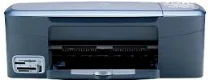
HP PSC 2355p Driver Download
- 5 drivers
- Supports Windows Vista
- Windows · macOS · Linux
- ✓ Safe & free
HP PSC 2355p All-in-One Printer cartridges are the essential components that make your printer perform at its best. These cartridges come in different colors and sizes, such as black, cyan, magenta, and yellow, and offer a range of page yields to fit your printing needs. When it comes to choosing the right cartridges for your HP PSC 2355p printer, it's important to consider factors such as print quality, reliability, and cost-effectiveness. HP offers a wide range of cartridges that are specifically designed to work with your printer, ensuring that you get the best possible results every time you print. One popular option is the HP 94 Black Ink Cartridge, which delivers sharp, crisp text and graphics with every print. This cartridge is ideal for printing documents and reports, and has a page yield of up to 480 pages. For color printing, the HP 95 Tri-color Ink Cartridge is a great choice. This cartridge produces vivid, true-to-life colors and has a page yield of up to 330 pages. It's perfect for printing photos, graphics, and other color documents. In addition to these standard cartridges, HP also offers high-yield and multi-pack options that can help you save money and reduce waste. For example, the HP 94/95 Combo-pack includes both the black and tri-color cartridges, and has a page yield of up to 520 pages. Overall, choosing the right cartridges for your HP PSC 2355p All-in-One Printer is an important decision that can impact the quality and cost of your printing. By selecting high-quality, reliable cartridges from HP, you can ensure that you get the best possible results every time you print.The HP 94 Cartridge in Black Original Ink boasts a page yield of around 480 pages, ensuring optimal printing results. For vibrant and true-to-life color printing, the HP 95 Tri-color Inkjet Print Cartridge should be your go-to choice with a page yield of approximately 330 pages. The HP 97 Tri-color Original Ink Cartridge offers an impressive yield of around 560 pages, making it a reliable option for high-volume printing needs. For photo enthusiasts, the HP 99 Photo Original Ink Cartridge provides exceptional results with a page yield of roughly 130 pages. Choose the right cartridge for your printing needs and experience quality prints every time.HP PSC 2355p.
HP PSC 2355p Driver Downloads
| Driver | Operating System | Version | Size | Download |
|---|---|---|---|---|
| Full Feature Drivers Recommended | Windows Vista | — | 163.3 MB | Download |
| Full Feature Drivers | Windows XP | — | 426.9 MB | Download |
| Basic Drivers | Windows XP | — | 39.7 MB | Download |
| Full Feature Drivers | macOS | — | 150.5 MB | Download |
| Full Feature Drivers | macOS | — | 182.1 MB | Download |
How to Install the HP PSC 2355p Driver
- Click the recommended driver package above and save the file to your PC.
- Open the downloaded file and follow the on-screen HP installer.
- Connect the PSC 2355p by USB or network when prompted.
- Finish and print a test page to confirm the driver works.