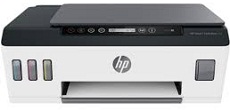
HP Smart Tank Plus 551 Driver Download
- 4 drivers
- Supports Windows 11
- Windows · macOS · Linux
- ✓ Safe & free
Introducing the HP Smart Tank Plus 551 model - a versatile wireless device that offers a range of multipurpose functions, including printing, scanning, and copying. With its hi-speed USB port, Wi-Fi, and Bluetooth LE connectivity, you can easily connect to various devices and networks. The HP Smart Tank Plus 551 model comes with a built-in dual-band and Wi-Fi 802.11 b/g/n, enabling you to print wirelessly from your smartphone, tablet, or laptop. Additionally, it offers a wireless direct print and a BLE, providing you with seamless and convenient printing options. In terms of copying, this machine is compatible with multiple copies and allows you to resize, adjust the quality, and contrast for darker or lighter prints. You can also choose the paper size that suits your needs. The HP Smart Tank Plus 551 driver includes Full Feature and Easy Start Printer Setup Software, making it easy to set up and use. With its user-friendly interface and advanced features, this device is the perfect choice for both personal and professional use. Get yours today and experience the ultimate printing, scanning, and copying experience.
HP Smart Tank Plus 551 Driver Downloads
| Driver | Operating System | Version | Size | Download |
|---|---|---|---|---|
| Full Feature Drivers Recommended | Windows 11Windows 10Windows 8.1Windows 8Windows 7 | — | 284.5 MB | Download |
| Easy Start Printer Setup | Windows 11Windows 10 | — | 11.3 MB | Download |
| Easy Start Printer Setup | Windows 8.1Windows 8 | — | 11.3 MB | Download |
| Easy Start Printer Setup | Windows 7 | — | 11.3 MB | Download |
How to Install the HP Smart Tank Plus 551 Driver
- Click the recommended driver package above and save the file to your PC.
- Open the downloaded file and follow the on-screen HP installer.
- Connect the Smart Tank Plus 551 by USB or network when prompted.
- Finish and print a test page to confirm the driver works.