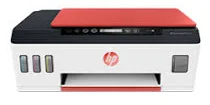
HP Smart Tank Plus 559 Driver Download
- 5 drivers
- Supports Windows 11
- Windows · macOS · Linux
- ✓ Safe & free
The HP Smart Tank Plus 559 printer is an exceptional line of tank-plus printers that offer a multitude of functions. These versatile machines are capable of printing, copying, and scanning documents with optimum performance. With its internal driver for manual duplex printing, the HP Smart Tank Plus 559 can seamlessly print on both sides of the paper, making it a modern printer. At ISo mode, the printer's black document print speed is an impressive 11 pages per minute (ppm), while the color printing rate is up to 5 ppm. This means that you can print your documents efficiently and quickly, without sacrificing quality. Whether you need to print a report, copy a document, or scan a photo, the HP Smart Tank Plus 559 printer has got you covered. With its multifunctional capabilities and high-speed performance, this printer is a must-have for any office or home. So why wait? Get your hands on the HP Smart Tank Plus 559 printer today and experience the power of modern printing technology.
HP Smart Tank Plus 559 Driver Downloads
| Driver | Operating System | Version | Size | Download |
|---|---|---|---|---|
| Full Feature Driver Recommended | Windows 11Windows 10Windows 8.1Windows 8Windows 7 | — | 284.5 MB | Download |
| Easy Start Printer Setup | Windows 11Windows 10 | — | 11.4 MB | Download |
| Easy Start Printer Setup | Windows 8.1Windows 8 | — | 11.4 MB | Download |
| Easy Start Printer Setup | Windows 7 | — | 11.4 MB | Download |
| Easy Start | macOS | — | 9.1 MB | Download |
How to Install the HP Smart Tank Plus 559 Driver
- Click the recommended driver package above and save the file to your PC.
- Open the downloaded file and follow the on-screen HP installer.
- Connect the Smart Tank Plus 559 by USB or network when prompted.
- Finish and print a test page to confirm the driver works.