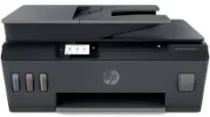
HP Smart Tank Plus 578 Driver Download
- 10 drivers
- Supports Windows
- Windows · macOS · Linux
- ✓ Safe & free
The HP Smart Tank Plus 578 is a part of the HP printer family that boasts an exceptional printing capacity. What sets this model apart is its internal driver that enables manual duplex printing, allowing you to print on both sides of a paper with ease. But that's not all - the connectivity options of the HP Smart Tank Plus 578 are impressive too. Equipped with a hi-speed USB 2.0 port, a dual-band Wi-Fi connection, and a Bluetooth LE option, you can choose the most convenient way to connect your devices. Speaking of wireless connectivity, the HP Smart Tank Plus 578 supports a Wi-Fi 802.11b/g/n, wireless direct printing, and a BLE feature. This means you can print from anywhere in the room or even remotely, without the need for cables and cords. In summary, the HP Smart Tank Plus 578 is a powerful printer that offers convenience, flexibility, and superior printing capabilities.
HP Smart Tank Plus 578 Driver Downloads
| Driver | Operating System | Version | Size | Download |
|---|---|---|---|---|
| Full Feature Recommended | Windows | — | 224.6 MB | Download |
| Full Feature Driver | Windows 11Windows 10Windows 7 | — | 226.1 MB | Download |
| Basic | Windows | — | 61 MB | Download |
| Basic Driver IT Professional Use only | Windows 10Windows 7 | — | 61.6 MB | Download |
| Basic | Windows | — | 68.3 MB | Download |
| Basic Driver IT Professional Use only | Windows 11Windows 10Windows 7 | — | 68.3 MB | Download |
| Easy Start Printer Setup | Windows | — | 9.4 MB | Download |
| Easy Start Printer Setup | Windows 11Windows 10 | — | 11.4 MB | Download |
| Easy Start Printer Setup | Windows 7 | — | 11.4 MB | Download |
| Easy Start | macOS | — | 9.1 MB | Download |
How to Install the HP Smart Tank Plus 578 Driver
- Click the recommended driver package above and save the file to your PC.
- Open the downloaded file and follow the on-screen HP installer.
- Connect the Smart Tank Plus 578 by USB or network when prompted.
- Finish and print a test page to confirm the driver works.