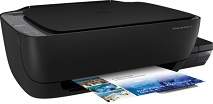
HP Smart Tank Wireless 450 Driver Download
- 8 drivers
- Supports Windows 11
- Windows · macOS · Linux
- ✓ Safe & free
The HP Smart Tank Wireless 450 printer, identified by the product number Z6Z96A, boasts a range of impressive features and capabilities. It can be connected via hi-speed USB 2.0 or wirelessly, giving you flexibility in how you use it. In terms of copying settings, the printer includes an auto-enlarge feature that works in both monochrome and color modes. Additionally, the fit to page reduction or enlargement feature allows for greater control over the final product. It's worth noting that the printer emits an acoustic power of approximately 6.0 B(A), with acoustic pressure emissions of 52 dB. This information may be of interest to those who prioritize a quiet work environment.HP Smart Tank Wireless 450 Replacement cartridgesBlack Ink Bottle HP 30, HP 31 Cyan Ink Bottle, HP 31 Yellow Ink Bottle, HP 31 Magen.
HP Smart Tank Wireless 450 Driver Downloads
| Driver | Operating System | Version | Size | Download |
|---|---|---|---|---|
| Full Software Solution Recommended | Windows 11Windows 10Windows 8.1Windows 8Windows 7Windows VistaWindows XP | — | 133.8 MB | Download |
| Basic Software Solution | Windows 10Windows 8.1Windows 8Windows 7Windows VistaWindows XP | — | 60.5 MB | Download |
| Basic Software Solution | Windows 10Windows 8.1Windows 8Windows 7 | — | 65.9 MB | Download |
| Easy Start Printer Setup | Windows 11Windows 10 | — | 11.3 MB | Download |
| Easy Start Printer Setup | Windows 8.1Windows 8 | — | 11.3 MB | Download |
| Easy Start Printer Setup | Windows 7 | — | 11.3 MB | Download |
| Easy Start Printer Setup | macOS | — | 9.1 MB | Download |
| hp helip installer 3.18.7.run | Windows | — | 23.2 MB | Download |
How to Install the HP Smart Tank Wireless 450 Driver
- Click the recommended driver package above and save the file to your PC.
- Open the downloaded file and follow the on-screen HP installer.
- Connect the Smart Tank Wireless 450 by USB or network when prompted.
- Finish and print a test page to confirm the driver works.