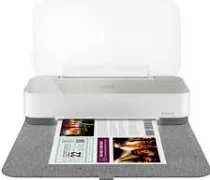
HP Tango X Driver Download
- 5 drivers
- Supports Windows 11
- Windows · macOS · Linux
- ✓ Safe & free
Introducing the HP Tango X - a printer model that is truly unique and packed with an array of fascinating features. One of its standout characteristics is the use of the modern Wi-Fi component, which allows seamless connectivity to other devices through an inbuilt 802.11n BLE device. Designed to perform optimally in a typical work environment, the HP Tango X boasts an operating humidity range of 20% to 80%, while the non-operating moisture level is between 5% to 90% with no condensation. Additionally, the printer's operating temperature range falls between 15 and 300C, making it suitable for use in a variety of different settings. In terms of compatibility, the HP Tango X Driver supports both Windows and Mac operating systems. So whether you're using a PC or a Mac, this printer has got you covered. With all these impressive features, it's no wonder the HP Tango X is a top choice for professionals who demand nothing but the best.
HP Tango X Driver Downloads
| Driver | Operating System | Version | Size | Download |
|---|---|---|---|---|
| Full Feature Driver Recommended | Windows 11Windows 10Windows 8.1Windows 8Windows 7 | — | 88.4 MB | Download |
| Easy Start Printer Setup | Windows 11Windows 10 | — | 11.4 MB | Download |
| Easy Start Printer Setup | Windows 8.1Windows 8 | — | 11.4 MB | Download |
| Easy Start Printer Setup | Windows 7 | — | 11.4 MB | Download |
| Easy Start | macOS | — | 9.1 MB | Download |
How to Install the HP Tango X Driver
- Click the recommended driver package above and save the file to your PC.
- Open the downloaded file and follow the on-screen HP installer.
- Connect the Tango X by USB or network when prompted.
- Finish and print a test page to confirm the driver works.