
Printing
Sharp / Drivers & setup
Sharp MX-6240N Driver
The Sharp MX-6240N is a network color multifunction system. Its preserved records combine PCL/PS/PPD/XPS printing with separate PC-Fax, TWAIN, status-monitor and macOS print packages.
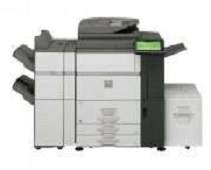
Model and software map
Device roleNetwork color print, copy and scan
Print bundlePCL, PS, PPD and XPS paths
Separate utilitiesTWAIN, PC-Fax and Status Monitor
Preserved inventory12 entries: 8 Windows, 3 macOS, 1 Linux; 5 print, 2 fax, 5 utility/other.
01 Download the MX-6240N driver
Two ways to download
Official Sharp download ↗
Download a package directly from the list below, or get the newest version from Sharp's official support site. On the official site, search for MX-6240N and select your operating system.
Choose the print path first. Add TWAIN for workstation scanning and PC-Fax only when that option is configured. Status Monitor is optional and not a substitute for a print driver.
Download a package
Pick the full package for a first-time setup, or only the printer or scanner driver if the printer is already connected. Each Download button creates a one-time link to the file.
Printing
PCL PS PPD Booklet Maker Driver for windows 64 bit.zip
Printing
PCL6 PS PPD Driver for windows 32 bit.zip
Printing
PCL6 PS PPD Driver for windows 64 bit.zip
Fax
PC-FAX TWAIN Scanner Driver for windows.zip
Optional tool
Universal Driver for windows.zip
Optional tool
TWAIN Driver for windows.zip
Fax
PC-FAX Driver for windows.zip
Optional tool
Driver for Mac OS X 10.10 to 10.14.zip
Optional tool
Driver for Mac OS X 10.9.zip
Optional tool
Driver for Mac OS X 10.8.zip
Printing
CUPS PPD Driver for Linux.zip
02 Install and verify
Step 1
Select MX-6240N and the current OS in Sharp’s official selector.
Step 2
Install one print path plus only the utilities required for that workstation.
Step 3
Verify a print and scan; test fax only where configured.
Your success check
Sharp’s current selector should decide compatibility, not the OS text in an archived filename.
03 Sources and review scope
Official model/support material and this page’s preserved file inventory were reviewed on 2026-09-20. No package was executed and no printer was hardware-tested. Historical filenames do not prove current OS compatibility.