
Printing
Sharp / Drivers & setup
Sharp MX-M364N Driver
The Sharp MX-M364N is a network monochrome multifunction system. Its preserved list includes PCL/PS/PPD/XPS printing and separate TWAIN, PC-Fax, status-monitor and macOS print records.
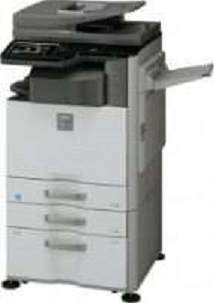
Model and software map
Device roleNetwork monochrome print, copy and scan
Print bundlePCL, PS, PPD and XPS paths
Separate toolsTWAIN scan, PC-Fax and Status Monitor
Preserved inventory12 entries: 8 Windows, 3 macOS, 1 Linux; 7 print, 2 fax, 3 utility/other.
01 Download the MX-M364N driver
Two ways to download
Official Sharp download ↗
Download a package directly from the list below, or get the newest version from Sharp's official support site. On the official site, search for MX-M364N and select your operating system.
Install one print path plus task-specific tools. TWAIN belongs to workstation scanning, PC-Fax to a configured fax workflow, and Status Monitor is optional.
Download a package
Pick the full package for a first-time setup, or only the printer or scanner driver if the printer is already connected. Each Download button creates a one-time link to the file.
Printing
PCL,PS,PPD XPS Universal Driver for windows 64 bit.zip
Fax
PC-FAX TWAIN Sharp Status Monitor Driver for windows.zip
Printing
PCL,PS,PPD Print Driver for windows 32 bit.ZIP
Printing
PCL,PS,PPD Print Driver for windows 64 bit.ZIP
Fax
PC-FAX Driver for windows.zip
Optional tool
TWAIN Driver for windows.zip
Optional tool
Universal Driver for windows.zip
Printing
PS PPD Driver for Mac OS X 10.8.zip
Printing
PS PPD Driver for Mac OS X 10.9.zip
Optional tool
Driver for Mac OS X 10.10 to 10.14.zip
Printing
Driver for Linux Cups PPD.ZIP
02 Install and verify
Step 1
Select MX-M364N and the current OS in Sharp’s official selector.
Step 2
Install one print driver and only the scan/fax utilities required at that computer.
Step 3
Print a test page and test network scanning separately.
Your success check
The current Sharp selector lists newer packages than some preserved filenames; treat the latter as historical records.
03 Sources and review scope
Official model/support material and this page’s preserved file inventory were reviewed on 2026-09-20. No package was executed and no printer was hardware-tested. Historical filenames do not prove current OS compatibility.