
First-time setup
HP / Drivers & setup
HP LaserJet Pro MFP M148fdw Driver
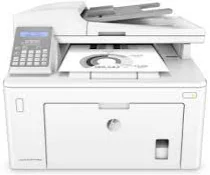
The HP LaserJet Pro MFP M148fdw is a monochrome multifunction printer. The archive separates full-feature setup, basic printing, scanning, fax support, firmware and troubleshooting utilities.
Model and software map
FunctionsPrint, scan, copy and fax
Suffix cuesfdw denotes a fax/duplex/wireless configuration
Package choiceFull solution and basic driver are alternatives
Preserved inventory16 entries: 15 Windows, 1 macOS; 4 setup/full-package, 8 print, 1 fax, 3 utility/other.
01 Download the LaserJet Pro MFP M148fdw driver
Two ways to download
Official HP download ↗
Download a package directly from the list below, or get the newest version from HP's official support site. The official link opens the LaserJet Pro MFP M148fdw page; select your operating system there.
Use the full solution for a new all-function workstation setup. A managed or print-only computer can use the narrower approved package; firmware should be handled as maintenance.
Download a package
Pick the full package for a first-time setup, or only the printer or scanner driver if the printer is already connected. Each Download button creates a one-time link to the file.
Optional tool
Basic Software Solution for Windows XP Vista 7 8 8.1 10 32 bit.exe
Optional tool
Basic Software Solution for Windows 7 8 8.1 10 64 bit and 11.exe
Fax
Universal Fax Driver for Windows 7 8.1 10 and 11.exe
Printing
PCL6 Universal Print Driver for Windows 7 8 8.1 10 32 bit and 11.exe
Printing
PCL6 Universal Print Driver for Windows 7 8 8.1 10 64 bit and 11.exe
Printing
PostScript Universal Print Driver for Windows 7 8 8.1 10 32 bit and 11.exe
Printing
PostScript Universal Print Driver for Windows 7 8 8.1 10 64 bit and 11.exe
Printing
USB connected PCL6 Universal Print Driver for Windows 7 8 8.1 10 32 bit and 11.exe
Printing
USB connected PCL6 Universal Print Driver for Windows 7 8 8.1 10 64 bit and 11.exe
Printing
USB connected PostScript Universal Print Driver for Windows 7 8 8.1 10 32 bit and 11.exe
Printing
USB connected PostScript Universal Print Driver for Windows 7 8 8.1 10 64 bit and 11.exe
First-time setup
Easy Start Printer Setup Software for Windows 10 and 11.exe
First-time setup
Easy Start Printer Setup Software for Windows 8 8.1.exe
First-time setup
Easy Start Printer Setup Software for Windows 7.exe
Optional tool
Easy Start Driver for Mac OS.zip
02 Install and verify
Step 1
Confirm M148fdw and the OS on HP support.
Step 2
Choose installation scope and connection before downloading.
Step 3
Test duplex printing, scanning and any configured fax workflow.
Your success check
The model suffix must match because nearby M148 configurations can expose different functions.
03 Sources and review scope
Official model/support material and this page’s preserved file inventory were reviewed on 2026-09-20. No package was executed and no printer was hardware-tested. Historical filenames do not prove current OS compatibility.