
First-time setup
HP / Drivers & setup
HP LaserJet Enterprise MFP M635h Driver
The HP LaserJet Enterprise MFP M635h is a monochrome enterprise multifunction device. The preserved list mixes a full solution with PCL, PostScript, universal print, scan and fax choices.
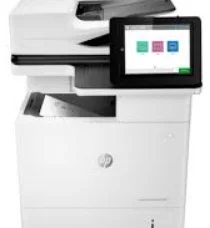
Model and software map
Device roleEnterprise monochrome print, copy and scan
Managed printingPCL6 and PostScript/universal choices
Conditional clientsScan and fax packages depend on workflow and configuration
Preserved inventory20 entries: 19 Windows, 1 macOS; 4 setup/full-package, 10 print, 3 scan, 2 fax, 1 utility/other.
01 Download the LaserJet Enterprise MFP M635h driver
Two ways to download
Official HP download ↗
Download a package directly from the list below, or get the newest version from HP's official support site. The official link opens the LaserJet Enterprise MFP M635h page; select your operating system there.
Use the organization’s deployment method. A full solution suits a direct workstation; managed clients should receive one approved print route plus only the scan/fax software they need.
Download a package
Pick the full package for a first-time setup, or only the printer or scanner driver if the printer is already connected. Each Download button creates a one-time link to the file.
Printing
PCL 6 V3 Printer Driver – no installer for Windows 7 8 8.1 10 and 11.exe
Printing
PCL 6 V4 Printer Driver – no installer for Windows 8.1 10 and 11.exe
Fax
Universal Fax Driver for Windows 7 8.1 10 and 11.exe
Fax
Universal Fax Driver for Windows Driver Only 7 8.1 10 and 11.exe
Printing
PCL6 Universal Print Driver for Windows 7 8 8.1 10 32 bit and 11.exe
Printing
PCL6 Universal Print Driver for Windows 7 8 8.1 10 64 bit and 11.exe
Printing
PostScript Universal Print Driver for Windows 7 8 8.1 10 32 bit and 11.exe
Printing
PostScript Universal Print Driver for Windows 7 8 8.1 10 64 bit and 11.exe
Printing
USB connected PCL6 Universal Print Driver for Windows 7 8 8.1 10 32 bit and 11.exe
Printing
USB connected PCL6 Universal Print Driver for Windows 7 8 8.1 10 64 bit and 11.exe
Printing
USB connected PostScript Universal Print Driver for Windows 7 8 8.1 10 32 bit and 11.exe
Printing
USB connected PostScript Universal Print Driver for Windows 7 8 8.1 10 64 bit and 11.exe
Scanning
Universal Scan – Full Feature Driver and Software for windows 7 8.1 10 and 11.exe
Scanning
Universal Scan – Basic Feature Driver and Software for windows 7 8.1 10 32 bit .exe
Scanning
Universal Scan – Basic Feature Driver and Software for windows 7 8.1 10 64 bit and 11.exe
First-time setup
Easy Start Printer Setup Software for Windows 10 and 11.exe
First-time setup
Easy Start Printer Setup Software for Windows 8 8.1.exe
First-time setup
Easy Start Printer Setup Software for Windows 7.exe
Optional tool
Easy Start Driver for Mac OS X 10.9 to 11.zip
02 Install and verify
Step 1
Confirm M635h and the current OS on HP support.
Step 2
Install the sanctioned full or managed package set.
Step 3
Test printing and the configured scan destination; test fax only if present.
Your success check
The h suffix identifies a specific model configuration, so nearby M635 packages require verification.
03 Sources and review scope
Official model/support material and this page’s preserved file inventory were reviewed on 2026-09-20. No package was executed and no printer was hardware-tested. Historical filenames do not prove current OS compatibility.