
First-time setup
HP / Drivers & setup
HP LaserJet Enterprise M806dn Driver
Get the HP software for the LaserJet Enterprise M806dn from HP's official support site, see which package to pick for Windows and macOS, and finish with a test print.
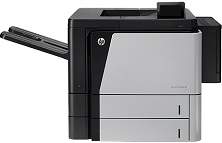
LaserJet Enterprise M806dn software at a glance
Software packages18
SystemsWindows 15 · macOS 3
Package typesFirst-time setup 2 · Printing 10 · Optional tool 6
32/64-bit versionsx86 6 · x64 6
01 Download the LaserJet Enterprise M806dn driver
Two ways to download
Official HP download ↗
Download a package directly from the list below, or get the newest version from HP's official support site. The official link opens the LaserJet Enterprise M806dn page; select your operating system there.
Download a package
Pick the full package for a first-time setup, or only the printer or scanner driver if the printer is already connected. Each Download button creates a one-time link to the file.
Printing
PCL6 Driver Only (no Installer) for Windows XP Vista 7 8 8.1 10.exe
Printing
PCL6 Print Driver for Windows XP Vista 7 8 8.1 10.exe
Printing
PCL6 Universal Print Driver for Windows 7 8 8.1 10 32 bit and 11.exe , Windows 8.1 32-bit, Windows 8 32-bit, Windows 7 32-bit
Printing
PCL6 Universal Print Driver for Windows 7 8 8.1 10 64 bit and 11.exe , Windows 7 64-bit
Printing
PostScript Universal Print Driver for Windows 7 8 8.1 10 32 bit and 11.exe , Windows 8.1 32-bit, Windows 8 32-bit, Windows 7 32-bit
Printing
PostScript Universal Print Driver for Windows 7 8 8.1 10 64 bit and 11.exe , Windows 7 64-bit
Printing
USB connected PCL6 Universal Print Driver for Windows 7 8 8.1 10 32 bit and 11.exe , Windows 8.1 32-bit, Windows 8 32-bit, Windows 7 32-bit
Printing
USB connected PCL6 Universal Print Driver for Windows 7 8 8.1 10 64 bit and 11.exe , Windows 7 64-bit
Printing
USB connected PostScript Universal Print Driver for Windows 7 8 8.1 10 32 bit and 11.exe , Windows 8.1 32-bit, Windows 8 32-bit, Windows 7 32-bit
Printing
USB connected PostScript Universal Print Driver for Windows 7 8 8.1 10 64 bit and 11.exe , Windows 7 64-bit
Optional tool
USB (DOT4) communication driver for Windows 8 8.1 10 32 bit.msi
Optional tool
USB (DOT4) communication driver for Windows 8 8.1 10 64 bit.msi
Optional tool
ePrint Software – Network and Wireless Connected Printers for windows 7 8 8.1 10 32 bit.exe, Windows 7 32-bit
Optional tool
ePrint Software – Network and Wireless Connected Printers for windows 7 8 8.1 10 64 bit.exe, Windows 7 64-bit
First-time setup
Easy Start Printer Setup Software for Mac OS X 10.9 to 11.zip
Optional tool
Full Software Solution for Mac OS X 10.6 to 10.10.dmg
Optional tool
ePrint Software – Network and Wireless Connected Printers for Mac OS X 10.8 to 10.10.dmg
02 Install and test the LaserJet Enterprise M806dn
Check the exact model name
Read the full model name on the printer label. It should match LaserJet Enterprise M806dn exactly; printers with similar names can need different software.
Download the package for your system
On HP's support site, choose your operating system version. Pick the full software package for a first-time setup, or just the printer driver if the printer already works with another computer.
Run the installer and connect the printer
Check the connection methods supported by your exact printer in the manufacturer documentation. Follow the installer prompts for that connection; if using USB, connect the cable when prompted.
Check that it worked
Print a test page from your system printer settings. If the test page prints, the driver is installed correctly.
03 Troubleshooting
The installer cannot find the printer
Check the connection supported by your model. For USB, try another port and cable. If the printer supports a network connection, check its network connection and confirm the computer is on the same network, then run the installer again.
The printer is installed but shows as offline
Turn the printer off and on, check its supported connection, then remove and re-add it in your system printer settings. For a network-connected model, check whether the printer address has changed.
My operating system is not in the list
Check HP's support site for your exact system version. Newer versions of Windows and macOS often include a built-in driver for older printers, so try adding the printer in system settings first.
04 Sources
Package downloads come from PrinterDriversHub's driver archive; the official links go to HP's website. PrinterDriversHub is independent and not affiliated with HP.