
First-time setup
HP / Drivers & setup
HP ENVY Inspire 7220e Driver
The HP ENVY Inspire 7220e is an all-in-one for printing, scanning and copying. The preserved list contains both full-feature packages and HP Easy Start setup records.
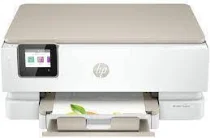
Model and software map
Device rolePrint, scan and copy
Recorded setup choicesFull Feature Software or HP Easy Start
Current checkHP’s selector decides whether software is offered for the chosen OS
Preserved inventory6 entries: 5 Windows, 1 macOS; 5 setup/full-package, 1 utility/other.
01 Download the ENVY Inspire 7220e driver
Two ways to download
Official HP download ↗
Download a package directly from the list below, or get the newest version from HP's official support site. The official link opens the ENVY Inspire 7220e page; select your operating system there.
Use one setup route. HP Easy Start is the lighter guided setup entry; Full Feature Software is the broader historical package. Do not install several differently dated Easy Start records as if they were separate required components.
Download a package
Pick the full package for a first-time setup, or only the printer or scanner driver if the printer is already connected. Each Download button creates a one-time link to the file.
First-time setup
Full Feature Driver and Software – Offline Use for Windows 7 10 and 11.exe
First-time setup
Easy Start Printer Setup Software for Windows 7 8 8.1 10.exe
First-time setup
Easy Start Printer Setup Software for Windows 10 and 11.exe
First-time setup
Easy Start Printer Setup Software for Windows 7.exe
Optional tool
Easy Start Driver for mac OS.zip
02 Install and verify
Step 1
Let HP’s support page identify the current operating system before choosing a historical record.
Step 2
Run one appropriate setup path and follow its network or USB prompts.
Step 3
Print a test page and make a scan preview; verify copy at the device if needed.
Your success check
Multiple Easy Start filenames reflect recorded OS ranges, not a requirement to install each one.
03 Sources and review scope
Official model/support material and this page’s preserved file inventory were reviewed on 2026-09-20. No package was executed and no printer was hardware-tested. Historical filenames do not prove current OS compatibility.