
First-time setup
HP / Drivers & setup
HP LaserJet M110w Driver
Get the HP software for the LaserJet M110w from HP's official support site, see which package to pick for Windows, and finish with a test print.
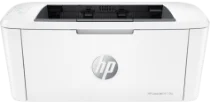
LaserJet M110w software at a glance
Software packages2
SystemsWindows 2
Package typesFirst-time setup 2
01 Download the LaserJet M110w driver
Two ways to download
Official HP download ↗
Download a package directly from the list below, or get the newest version from HP's official support site. The official link opens the LaserJet M110w page; select your operating system there.
Download a package
Pick the full package for a first-time setup, or only the printer or scanner driver if the printer is already connected. Each Download button creates a one-time link to the file.
First-time setup
Easy Start Printer Setup Software for windows 11 10 8.1 8 7 32-bit and 64-bit.exe
02 Install and test the LaserJet M110w
Check the exact model name
Read the full model name on the printer label. It should match LaserJet M110w exactly; printers with similar names can need different software.
Download the package for your system
On HP's support site, choose your operating system version. Pick the full software package for a first-time setup, or just the printer driver if the printer already works with another computer.
Run the installer and connect the printer
Follow the installer prompts for USB or Wi-Fi. For USB, connect the cable only when the installer asks. For Wi-Fi, keep the printer and computer on the same network.
Check that it worked
Print a test page from your system printer settings. If the test page prints, the driver is installed correctly.
03 Troubleshooting
The installer cannot find the printer
Check the connection first. For USB, try another port and cable. For Wi-Fi, make sure the printer shows a network connection on its panel and that your computer is on the same network, then run the installer again.
The printer is installed but shows as offline
Turn the printer off and on, then remove and re-add it in your system printer settings. On Wi-Fi, a changed router or IP address is a common cause.
My operating system is not in the list
Check HP's support site for your exact system version. Newer versions of Windows and macOS often include a built-in driver for older printers, so try adding the printer in system settings first.
04 Sources
Package downloads come from PrinterDriversHub's driver archive; the official links go to HP's website. PrinterDriversHub is independent and not affiliated with HP.