
First-time setup
HP / Drivers & setup
HP Officejet Pro L7680 Driver
The HP Officejet Pro L7680 is a legacy inkjet all-in-one. The preserved records distinguish full-feature software from basic printing and older scan-related components.
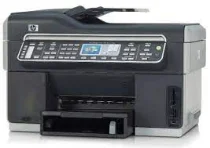
Model and software map
Device roleColor print, scan, copy and fax
Package scopeFull-feature software versus basic print support
Legacy statusCurrent OS availability must be checked at HP
Preserved inventory13 entries: 11 Windows, 2 macOS; 4 setup/full-package, 1 scan, 8 utility/other.
01 Download the Officejet Pro L7680 driver
Two ways to download
Official HP download ↗
Download a package directly from the list below, or get the newest version from HP's official support site. The official link opens the Officejet Pro L7680 page; select your operating system there.
Choose full-feature software when all-in-one functions are required. A basic driver may restore printing without restoring scanning or PC fax.
Download a package
Pick the full package for a first-time setup, or only the printer or scanner driver if the printer is already connected. Each Download button creates a one-time link to the file.
First-time setup
Full Feature Drivers and Software for windows XP Vista and 7.exe
Optional tool
Basic Driver (IT Professional Use Only) for Windows 8 and 8.1 32 bit.exe
Optional tool
Basic Driver (IT Professional Use Only) for Windows 8 and 8.1 64 bit.exe
Optional tool
Basic Driver (IT Professional Use Only) for Windows 7 32 bit.exe
Optional tool
Basic Driver (IT Professional Use Only) for Windows 7 64 bit.exe
Scanning
Basic Print and Scan Driver for Windows XP Vista and 7.exe
Optional tool
Basic Feature Driver and Software (IT Professional Use Only) for Windows XP 32 bit.exe
Optional tool
Basic Feature Driver and Software (Corporate only) for Windows XP 64 bit.exe
Optional tool
ePrint Software – Network and Wireless Connected Printers for windows 7 8 8.1 10 32 bit.exe
Optional tool
ePrint Software – Network and Wireless Connected Printers for windows 7 8 8.1 10 64 bit.exe
First-time setup
Full Feature Drivers and Software for Mac OS X 10.6.dmg
First-time setup
Full Feature Drivers and Software for Mac OS X 10.5.dmg
02 Install and verify
Step 1
Confirm Officejet Pro L7680 and select the actual OS on HP support.
Step 2
Install one compatible full or basic route based on the needed functions.
Step 3
Print and scan separately; test fax only if used.
Your success check
A successful printer queue is only a partial result for this all-in-one.
03 Sources and review scope
Official model/support material and this page’s preserved file inventory were reviewed on 2026-09-20. No package was executed and no printer was hardware-tested. Historical filenames do not prove current OS compatibility.